🌟 Product Release Update: Enhanced Navigation Across CRM, Jobs, Sales Lead Pipeline, Scheduler, and More
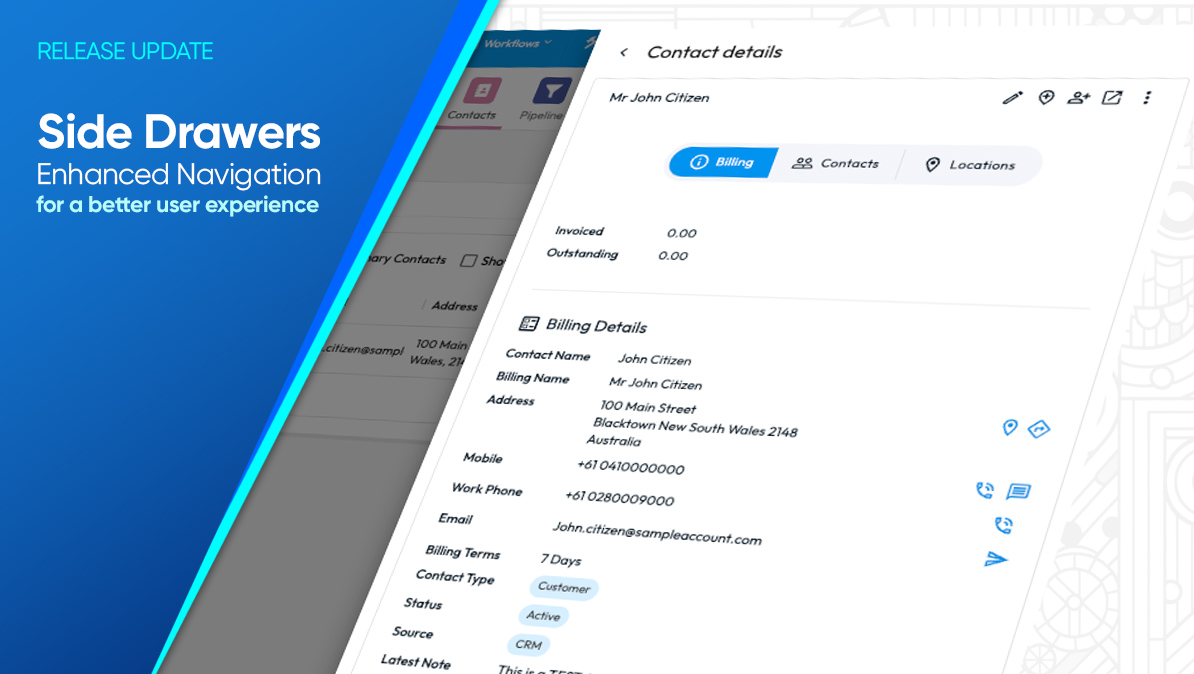
We are excited to unveil our latest platform enhancements spanning CRM, Jobs, Sales Lead Pipeline, Scheduler, and more. Inspired by your feedback, these updates are crafted to make our system more accessible and user-friendly, dramatically improving how you navigate and access necessary information.
Immediate Access, No Interruptions:
You now have everything you need just a few clicks away, with no need to navigate away from your current page.
Key Enhancements Include:
CRM Contacts - Quick View/Edit User Drawer:
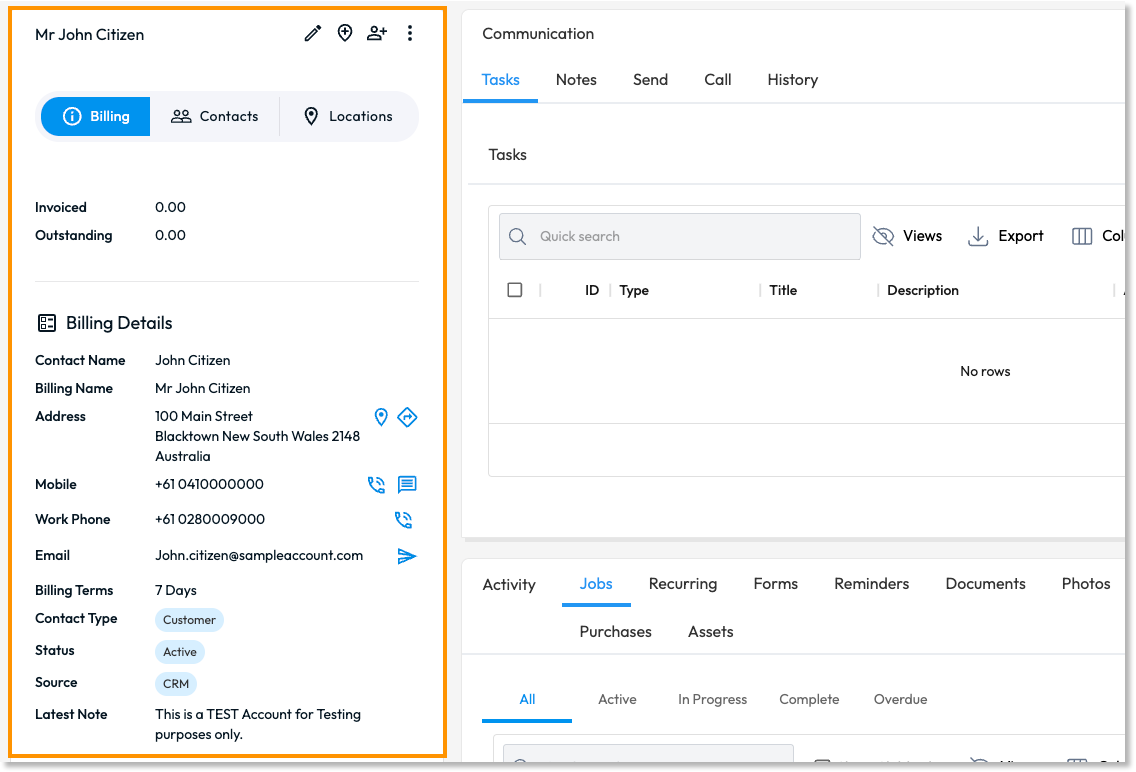
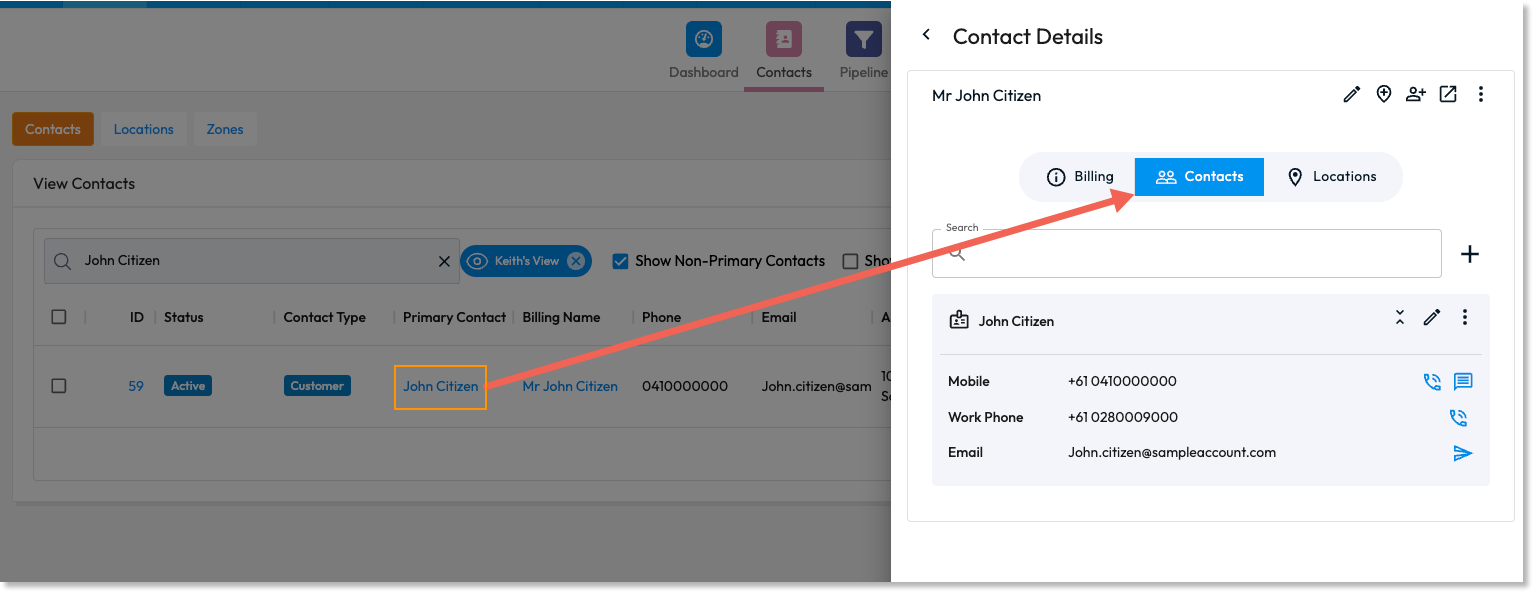
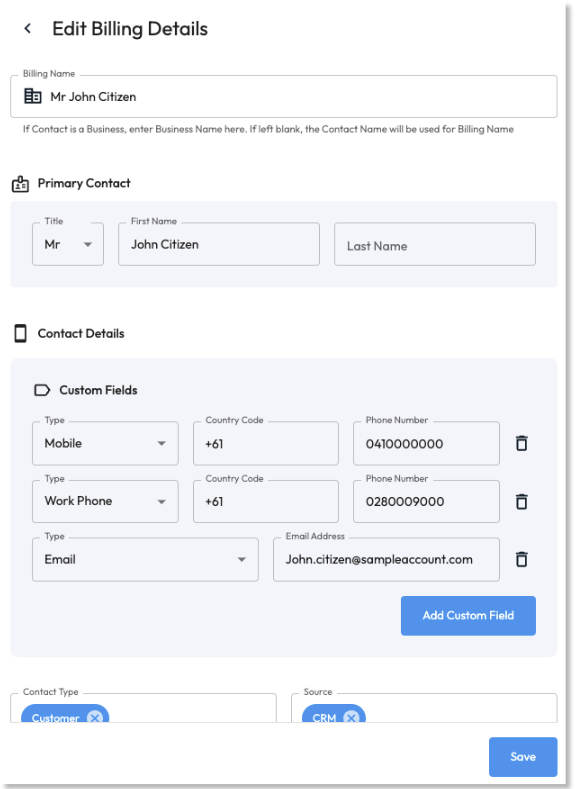
Access and edit CRM contact and billing details directly from the CRM >> CONTACTS section through new quick view/edit drawers.
Actionable items are highlighted in blue, with rollover hints to enhance user navigation and understanding.
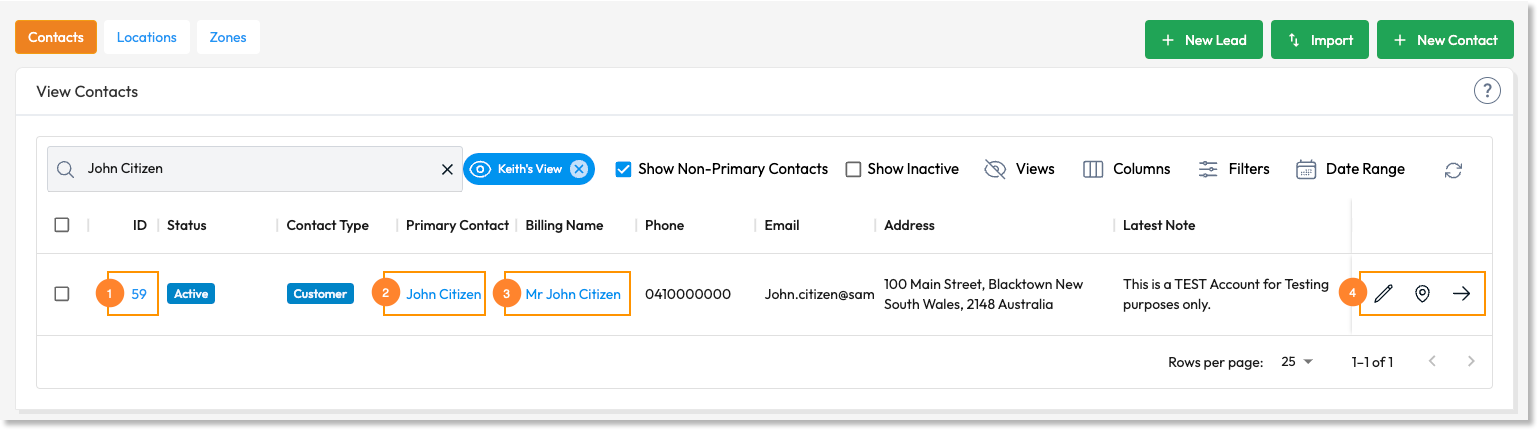
ID - Open CRM Contact:
Primary Contact - Opens Quick View/Edit User Drawer
Billing Name - Opens Quick View/Edit Billing Details.

Edit Icons:

Edit Billing Details Icon - Opens the Edit Drawer for Billing details

Edit Location Icon - Opens View/Edit Drawer for Location details


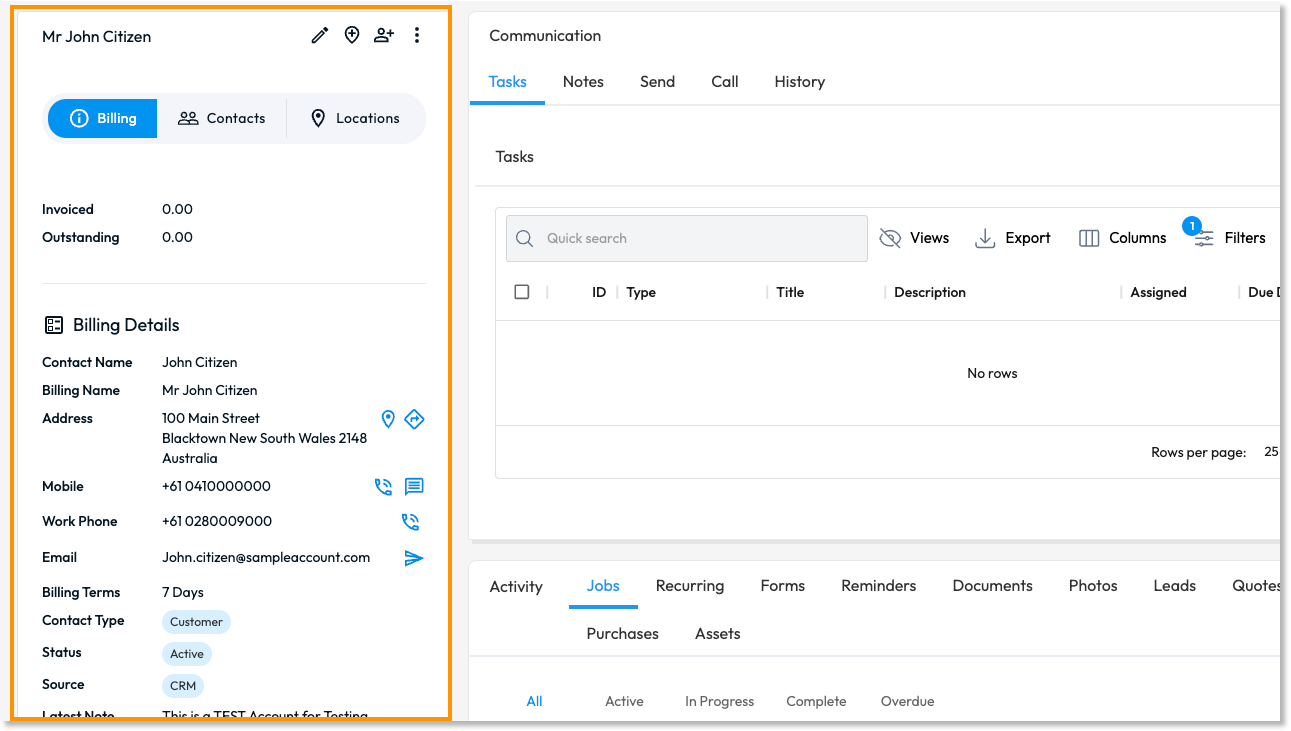
View Icon - Navigates to the Contact landing page
Hover Text / Tooltips
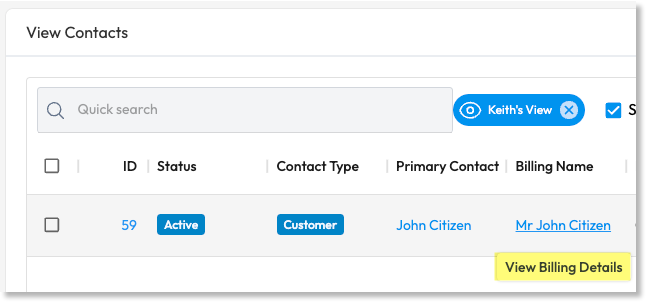
Blue highlighted text or icons indicate that these elements are linkable. Additionally, we have implemented enhanced usability by displaying Rollover Hints when hovering on blue content links or Icons on the Portal:
Active Hover Text Links:
Linkable Icons:
Upon hovering, icons will display a Tooltip hint - We also coloured these icons blue to indicate that they are actionable items within a contact card.
Non-clickable Tags:
We have adjusted the colour of non-clickable tags easily identify them from other clickable elements.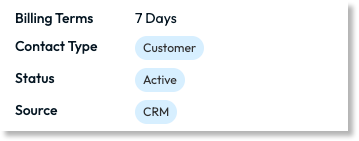
Enhanced CRM >> LOCATIONS:
Directly access the billing details and perform quick actions such as editing details and adding locations or contacts from the CRM dashboard.
Introduce a new communication side drawer for sending emails directly from the billing details section.
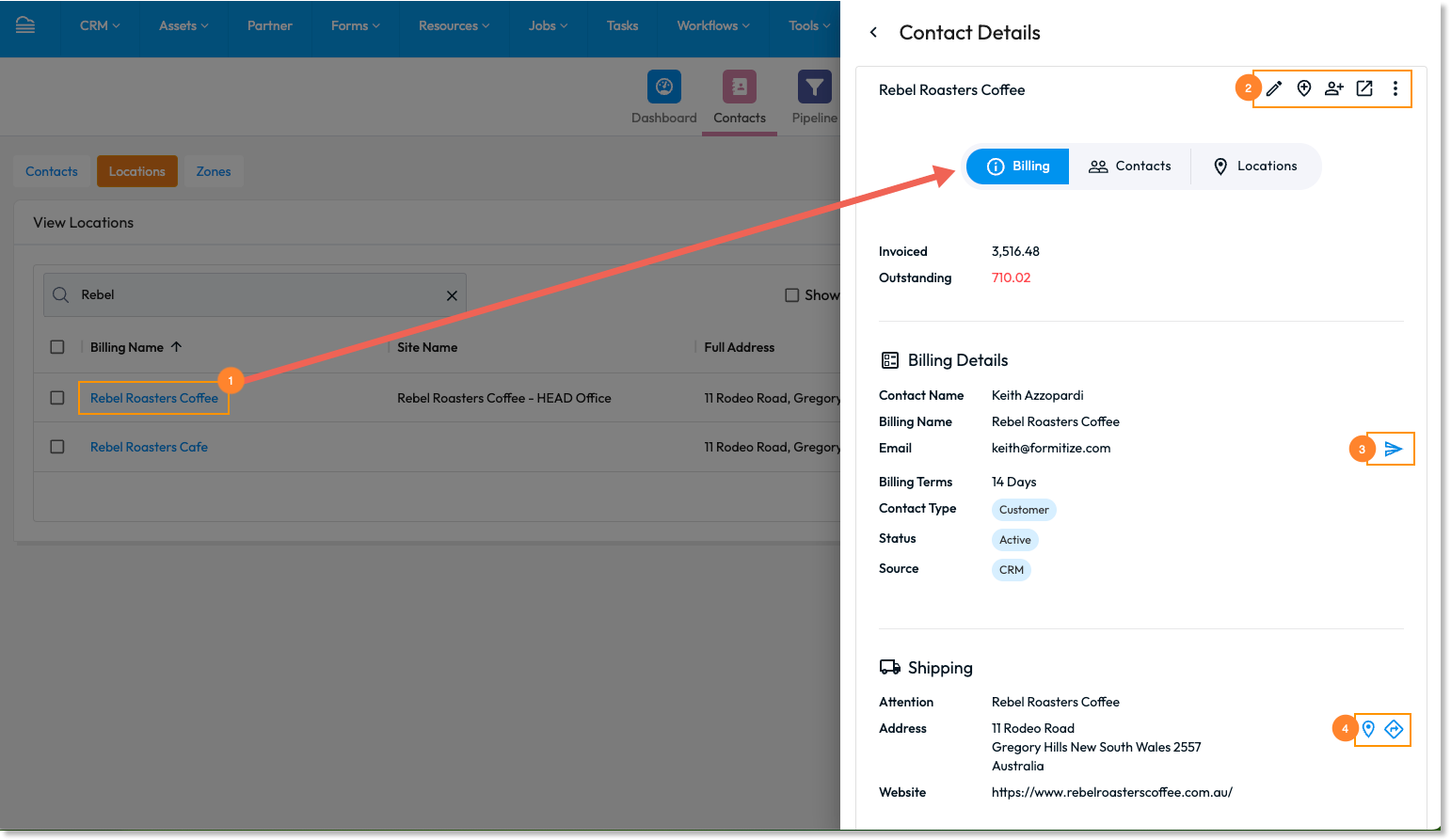
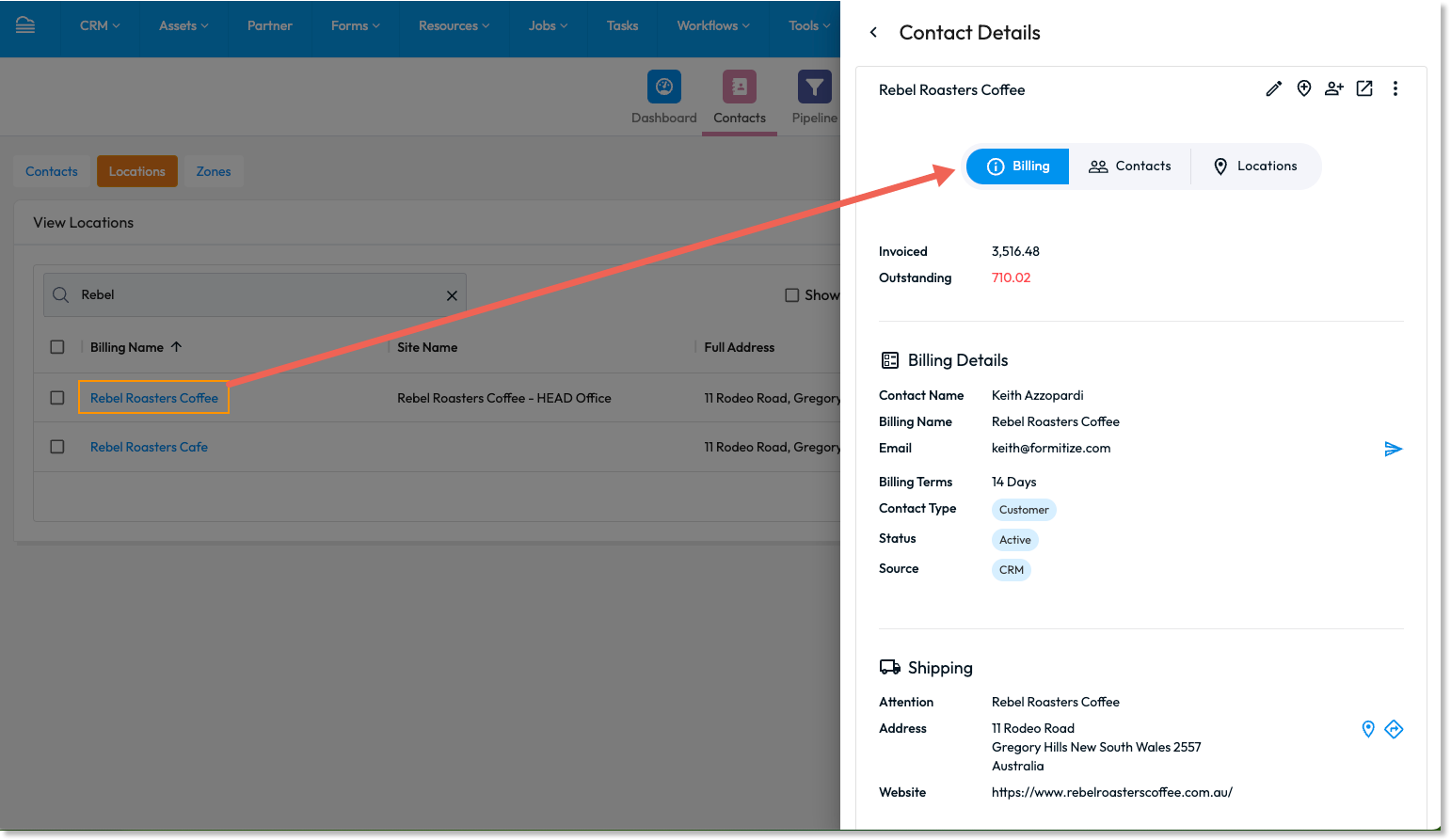
Clicking the Billing Name will open up the View/edit Billing details
Quick Actions - quick actions including:

Edit Details
Add Location
Add Contact
Open Contact
View all options and Merge option
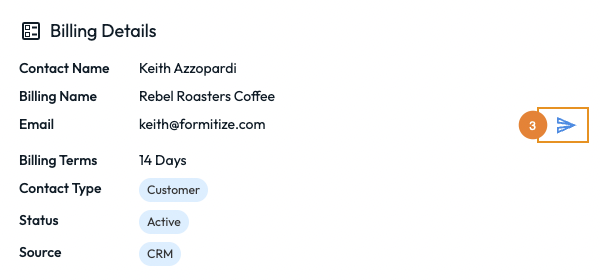
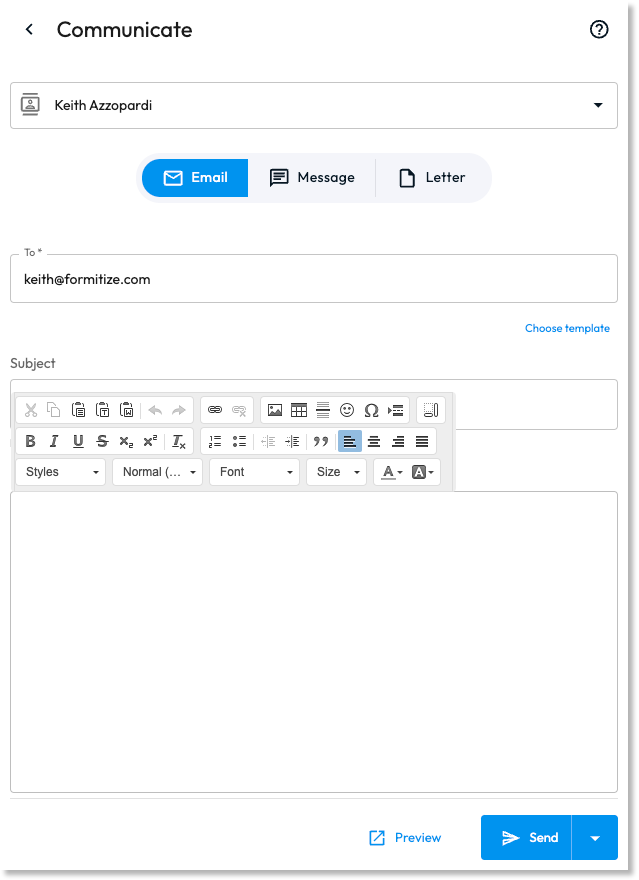
Billing Details > Send Email Icon - Opens the Communication Side Drawer enabling users to Send an Email, Message or Letter.
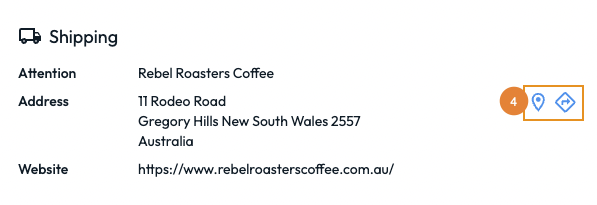
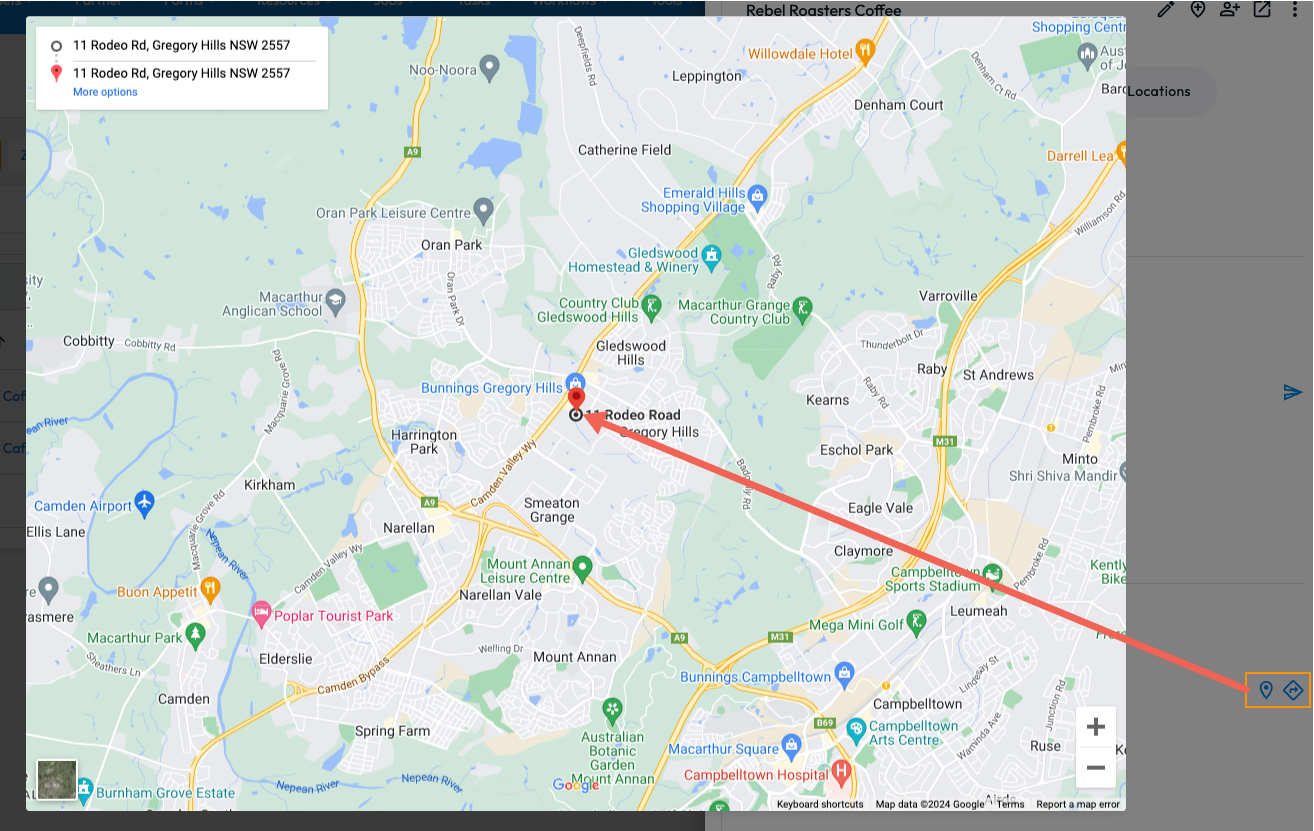
Shipping > Icons: View on Map and Open location
Sales Leads Pipeline - Consistent User Experience Across Modules
Sales Lead Pipeline and Job modules now feature similar quick access side drawers for viewing and editing details, ensuring a consistent user experience across different sections of the platform.
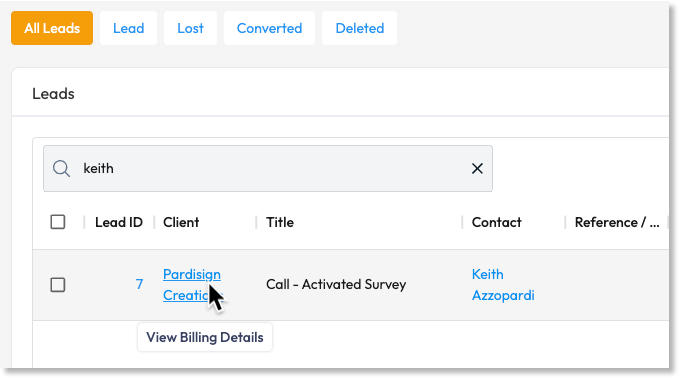
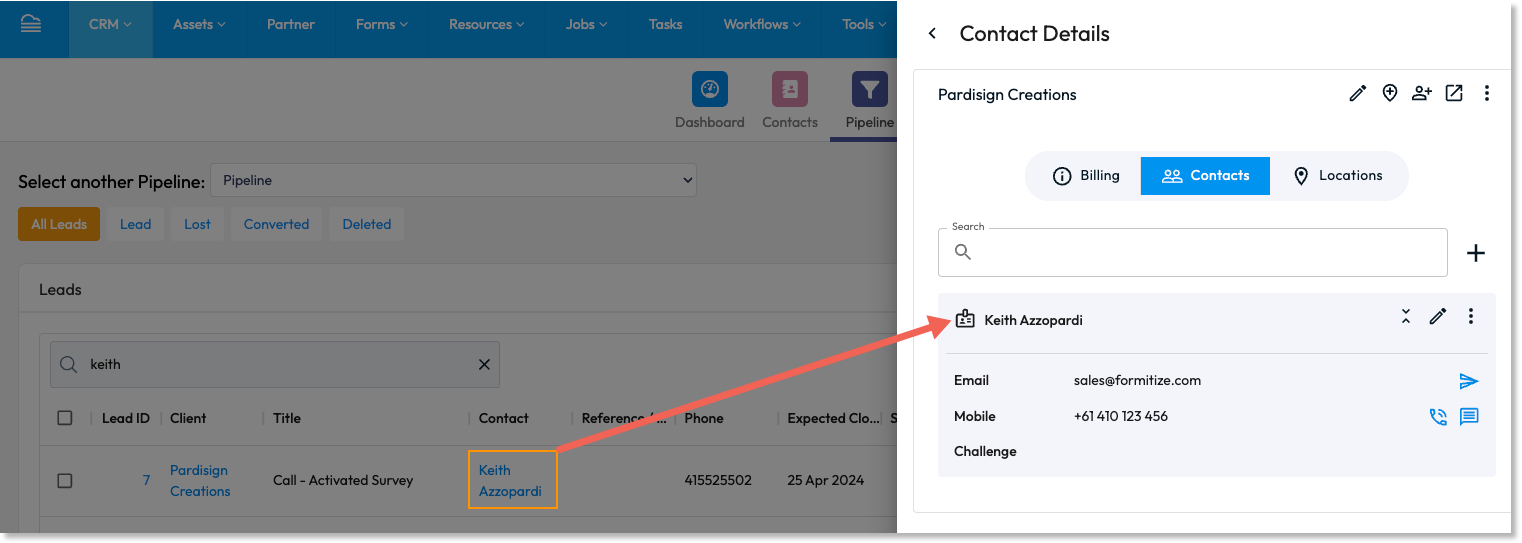
Job ID directs users to the detailed job page with new view/edit contact panels.
Jobs
Users can experience consistent behaviour in the Job modules with single click access to the View/edit Side drawer.
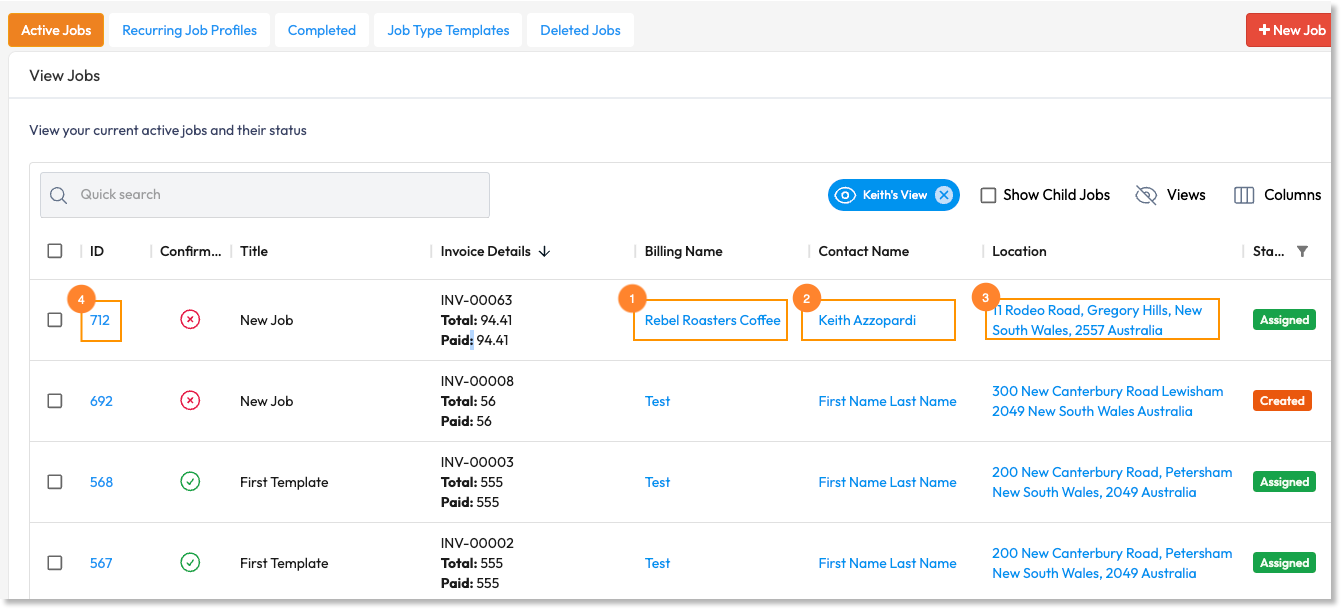
Clicking the Billing Name in the smart table above will open the side view/edit drawer on the Billing details
Clicking the Contact Name in the smart table above will open the side view/edit drawer on the Contact details
Clicking the Address under the location column in the smart table above will open the location on the map.
Clicking the Job ID number will direct users to the Job Details page which uses a new View/Edit Contact Panel:
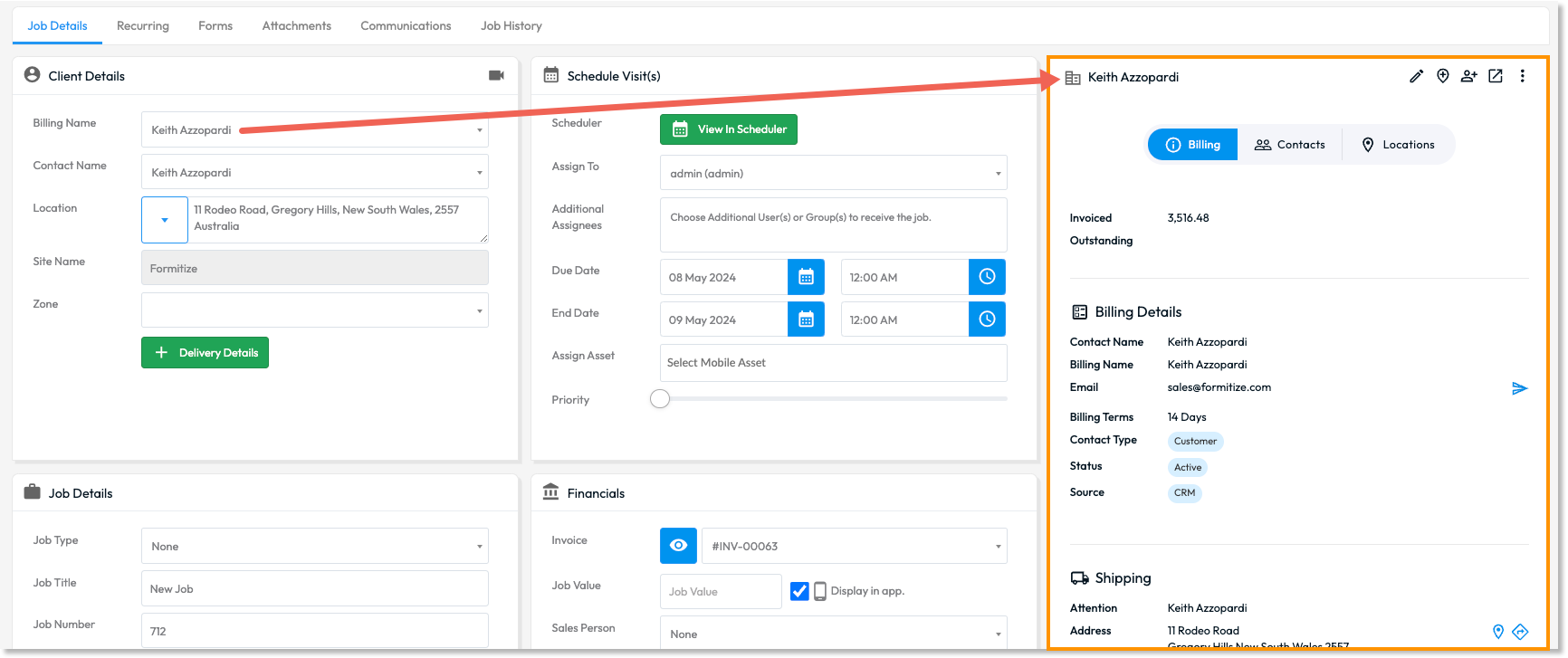
Accounts and Billing Improvements:
Portal users can quickly access the view/edit side drawers for invoices, quotes, and purchases directly from the billing column, enhancing the efficiency of financial operations.
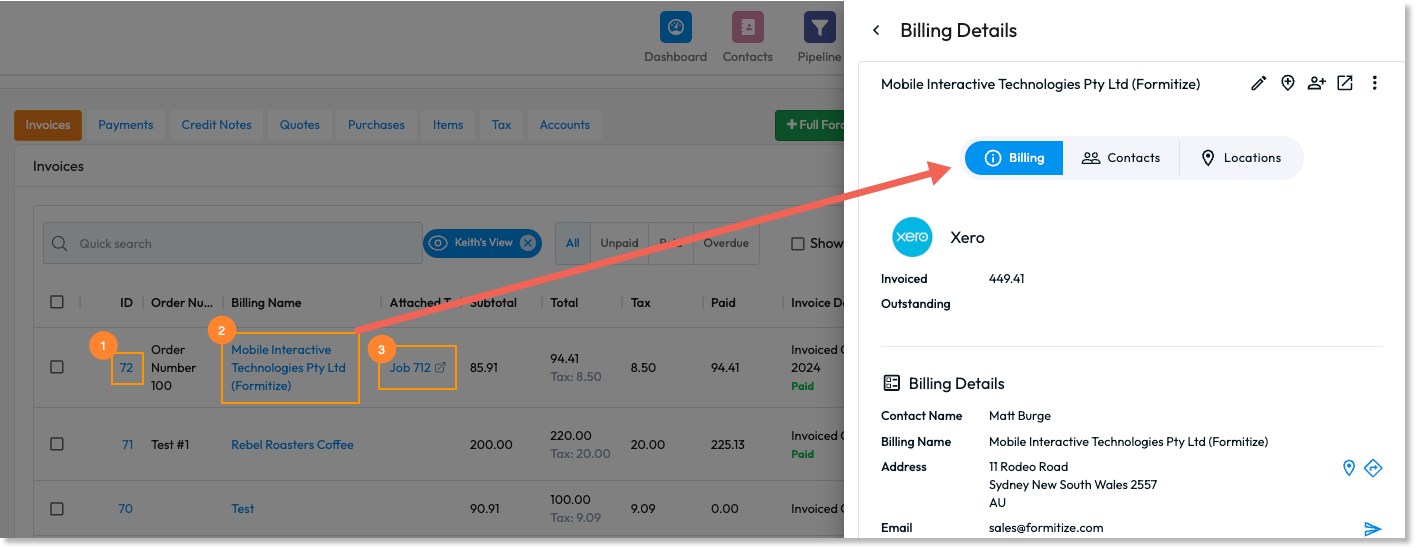
Clicking the ID will open the invoice in edit mode.
Clicking the billing details will open the view/edit contact details drawer.
Clicking on the Job link will direct users to the Job Details page.
Benefits of the Update:
Streamlined Navigation: Access and edit details swiftly, without leaving your current workflow, significantly saving time and reducing the number of clicks.
Enhanced Efficiency: With the improved rollover hints and colour-coded actionable items, managing your CRM activities is more intuitive than ever.
Consistency Across Modules: Uniform behaviour across modules reduces learning curves and boosts user satisfaction.
This release is a direct response to your feedback, embodying our commitment to continually enhance the user experience and operational efficiency of the Formitize platform. We strive to ensure our services meet your needs and streamline your business processes effectively.
We eagerly await your feedback on these new capabilities and are excited to see how they will improve your daily operations. Your continued input is crucial as we strive to make Formitize the most efficient and user-friendly platform available.
Stay ahead with Formitize – Innovating to automate your success.